Run programs
Once you’ve declared and tested your robot programs, you can provide them for production use. The Program Operator application runs robot programs in production without code editing.
Use the Program Operator to deploy robot programs for operators. It provides:
- No-code operation: Start, stop, and configure programs without programming
- Hardware validation: Validates correct robot hardware is connected before execution
- Parameter configuration: Adjust program behavior through form interface
Features
The Program Operator offers the following features:
- Start and stop programs
- Configure parameters
- Monitoring including cycle time tracking and countdown timers
- View logs and history
- Hardware validation before execution
Usage
Installation
Install the Program Operator via the Wandelbots NOVA app store.
Register a program
To make a Python program available in the Program Operator, you need to register it using Novax .
Novax handles the lifecycle of programs, exposing them through the NOVA API and making them available to the Program Operator.
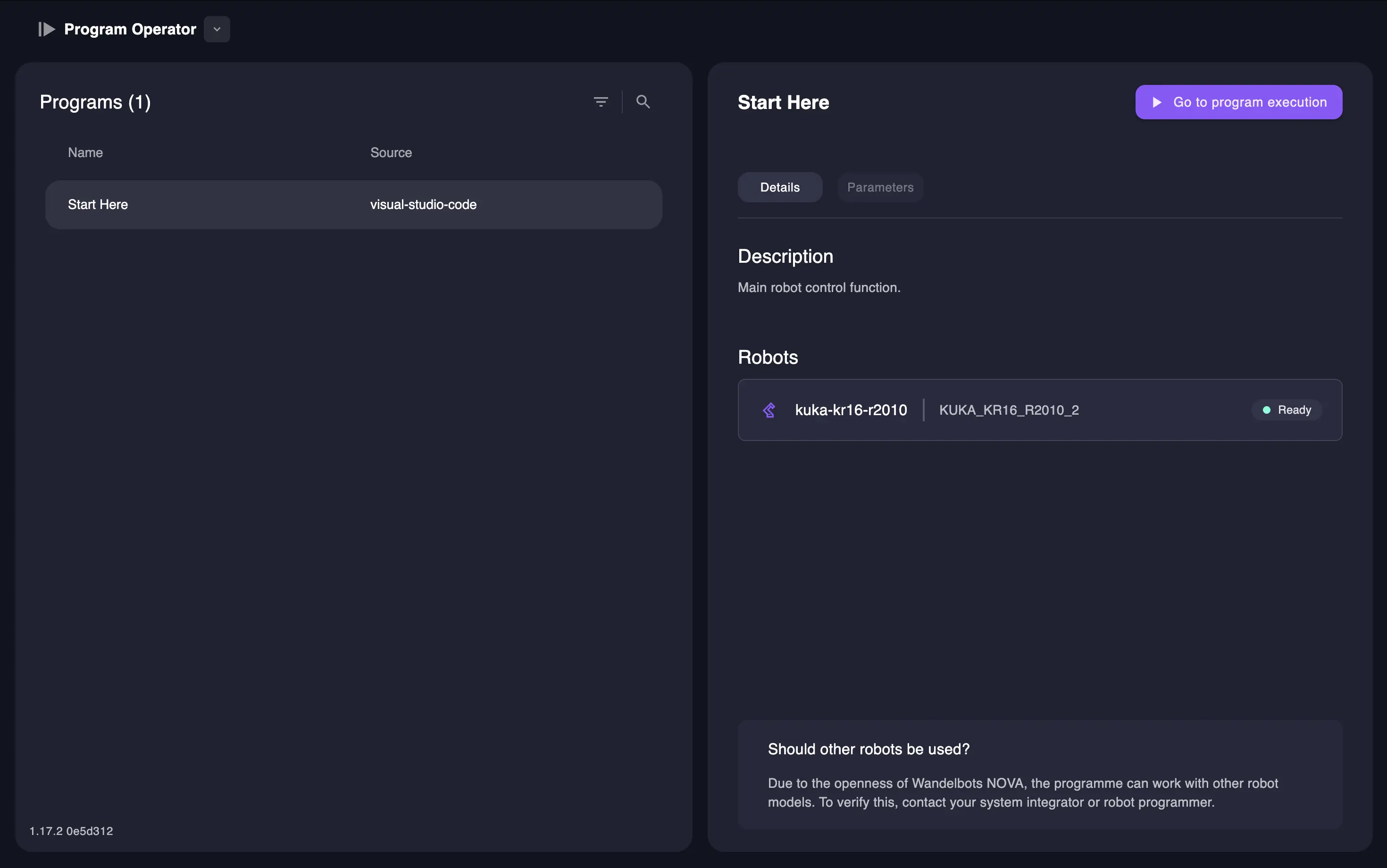
- Open Visual Studio Code from the NOVA home screen.
- Create or open a Python file containing your robot program decorated with
@nova.program, e.g.,start_here.py. - Open the registration script named
register_programs.py. - Create a Novax instance and add the program’s API endpoints.
- Register the program.
- Run the registration script to make your program discoverable.
from fastapi import FastAPI
from novax import Novax
# Import your @nova.program decorated function
from your_app.start_here import start

# Create FastAPI app
app = FastAPI(
    title="your_nova_app",
    version="0.1.0",
    description="An app that serves your robot programs",
)

# Create a Novax instance and register programs
novax = Novax()
# Add the programs API endpoints
novax.include_programs_router(app)
# Register your program
novax.register_program(start)

# Run the app, e.g., with uvicorn
If the registration is successful, the VS Code terminal indicates that the program was successfully registered.
Execute a program
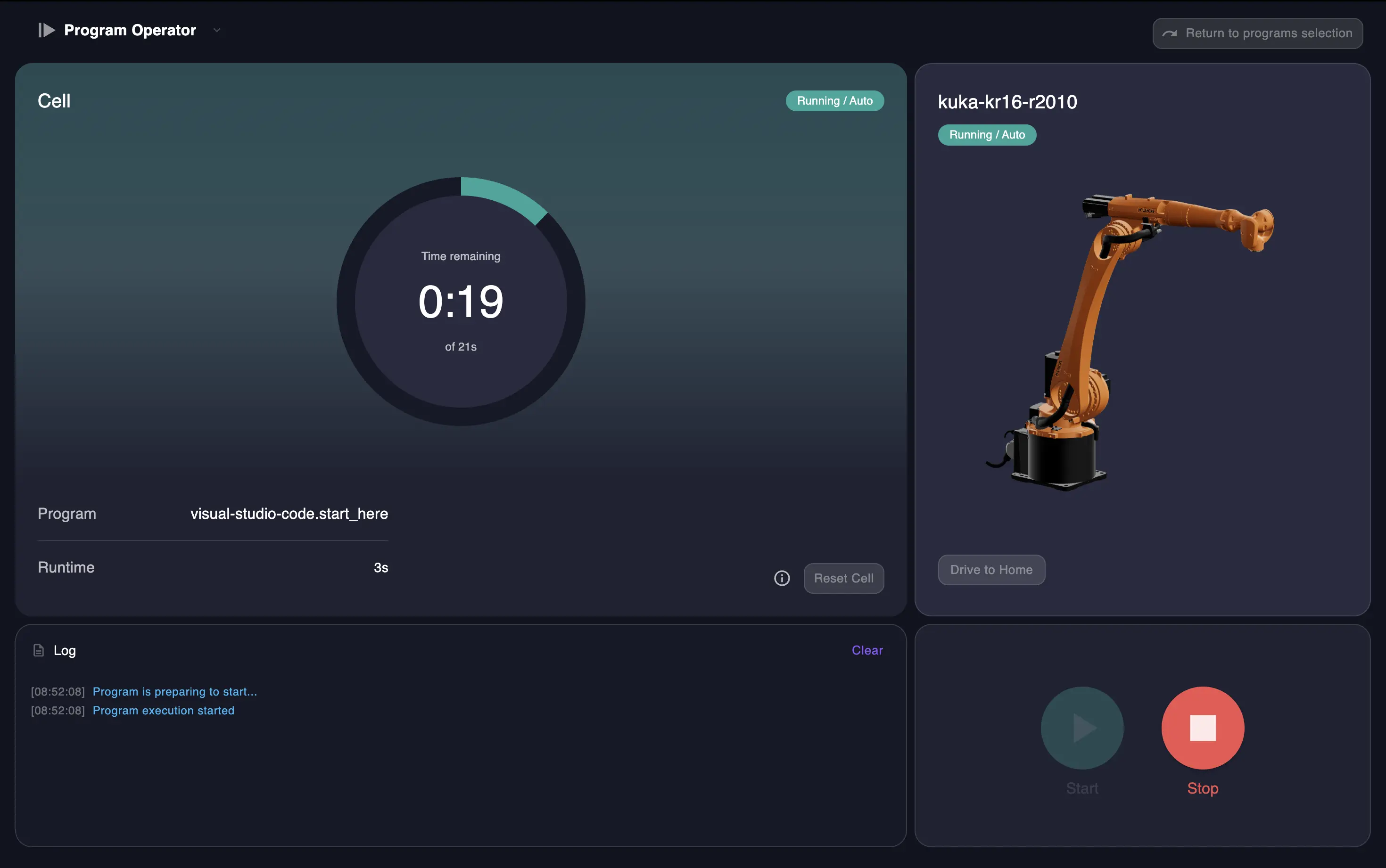
- Select the desired program from the list.
- Click
Startto begin execution.
During the first run, the Program Operator will measure the cycle time. Monitor the execution progress and countdown timer. - Click
Stopto pause the program.
Program availability
Programs registered through Visual Studio Code can deregister when you close VS Code or restart the Wandelbots NOVA instance.
To create persistent applications, use the NOVA CLI to guarantee their availability in the Program Operator.
See the local development guide for complete instructions on creating and deploying apps persistently.
Cycle definition and metrics
Cycles are not automatically determined by the Program Operator.
Explicitly define cycle boundaries in your program code using novax_cycle.
To enable cycle time tracking, you must instrument your program to define what constitutes a cycle.
A cycle typically represents one complete iteration of your robot workflow, e.g.,
picking and placing one workpiece.
Define a cycle
To make a Python program available in the Program Operator, you need to register it using Novax .
Novax handles the lifecycle of programs, exposing them through the NOVA API and making them available to the Program Operator.
The novax_cycle function requires:
cell: The NOVA cell instance fromnova.cell()program: The program ID (must match theidin your@nova.programdecorator)
from novax import novax_cycle

@nova.program(
    id="example_program",
    name="Example Robot Program",
    # ... other configuration
)
async def start():
    async with Nova() as nova:
        cell = nova.cell()
        controller = await cell.controller("robot-name")

        # Define the cycle - this tells Program Operator what to measure
        cycle = novax_cycle(cell=cell, program="example_program")

        async with controller[0] as motion_group:
            # Your robot setup code here

            # Mark the start of the cycle
            await cycle.start()

            # Your robot movements that constitute one cycle
            await motion_group.plan_and_execute(actions, tcp)

            # Mark the end of the cycle
            await cycle.finish()
Cycle time measurement
Once a cycle is defined, a Program Operator measures time between cycle.start() and cycle.finish() for each execution.
The baseline is updated with the latest measurement to provide:
- Countdown timers: Showing the expected completion time based on the most recent cycle
- Performance monitoring: To detect deviations from the current baseline
- Production metrics: For tracking efficiency
Using configurable function parameters
- Navigate to the
Parameterstab in the Program Operator. - Enter the desired values for each parameter.
- Start the program.
The custom configuration will be applied. If parameters affect the execution speed, the cycle time will be re-measured.
If the Parameters tab does not appear, ensure your program function includes configurable parameters.
Refer to the writing programs guide for details on defining parameters.
Next steps
Refine your program with advanced configuration options in the declare a program documentation.
Troubleshooting
Robot disconnected → Configure the required robot
The Program Operator performs a check to ensure the robot required by your program is configured in the cell before allowing program execution.
If you see a Robot disconnected error after registration:
- Open the Setup application from the NOVA home screen.
- Add the robot required by your program to the cell.
- Ensure the robot name and model match exactly what the program expects.
- For virtual robots, select “Virtual” as the robot type, then choose the correct manufacturer and model.
Once the robot is configured and shows connected in Setup, return to the Program Operator.
The program status will show ready and is ready for execution.
Cell errors when using the Program Operator
Use the Restart cell button to stop and restart all NOVA robot services.
If you loose connection to the Wandelbots NOVA instance during the restart, the cell might not restart automatically. In this case, use Cell > Operating State to restart the cell manually. The restart can take up to a couple of minutes.