26.1 - January 2026
2026 kicks off with Wandelbots NOVA 26.1, including API extensions, stronger error handling and an improved experience.
BREAKING CHANGES
This release introduces a potentially breaking change in the Wandelbots NOVA API v2:
For the following endpoints when VirtualController is selected as configuration, the parameter type has been relaxed to a plain string in the API.
This allows passing values beyond the originally fixed enum set.
The endpoint Robot Configurations is now available to fetch the currently supported string values for this parameter. Clients are encouraged to use this endpoint to dynamically discover allowed values instead of relying on hardcoded enums.
The enum is still generated in the API client for convenience and backward compatibility. Existing client code that sends values using the enum will continue to work. However, client code that receives and strictly relies on the enum for deserialization or validation may break.
What’s new?
For an up to date overview of all supported controllers and motion groups (robotic arms and external axes), refer to the Compatibility section.
Download GLB and USD models for your simulated scene
You can now download GLB and USD models for your simulated scene directly from the Wandelbots NOVA API v2 in the endpoint group Motion Group Models.
API v2
Delete Modbus and PROFINET signals with new API endpoint
A new API endpoint has been added to the BUS I/O endpoint group that allows you to delete all Modbus and PROFINET signals on the instance.
Additionally, error messaging has been improved when trying to send to inputs/outputs with int8 data type via Wandelbots NOVA API. As NOVA only supports int64, you will now receive a clear error message indicating that int8 data type is not supported.
Arguments added to Blending endpoint
The Plan trajectory endpoint in the Wandelbots NOVA API has been extended with the following new optional arguments for blending:
BlendingPosition:
position_zone_percentageorientation_zone_radiusorientation_zone_percentagejoints_zone_radiusjoints_zone_percentagespace
BlendingAuto:
space
Argument added to Motion Group Description endpoint
Get motion group description now fetches the serial number of either the motion group or the robot controller if the first is not available.
New parameter in Inverse kinematics endpoint
The parameter reference_joint_position has been added to Inverse kinematics .
It accepts a joint position as a reference and returns only one solution in the same configuration.
All solutions are shifted to the same periodicity as the reference: Each individual joint angle is shifted by multiples of 2π (whole revolutions) until the reference is in the closest proximity possible. Additionally, these solutions are sorted by distance (l2 norm) from the reference.
Connect multiple KUKA robot controllers to one NOVA instance
You can now connect multiple KUKA robot controllers to a single Wandelbots NOVA instance by indicating the RSI Server Port for each controller during the setup process.
Use the Setup app to add additional KUKA controllers for each or configure them via the Wandelbots NOVA API and specify unique RSI Server Ports.
More information on how to set up multiple KUKA robot controllers successfully can be found in the KUKA robot setup documentation.
What’s better?
- The import dialogs for Industrial Bus Protocols in Setup app now include enhanced error handling and a new cancel option, providing better control and feedback during the import process.
- Descriptions of the Execute Jogging endpoint in the Wandelbots NOVA API v2 have been improved for better clarity.
Filter and BUS signals in Setup app
The BUS signals table in Setup app now includes sorting and filtering capabilities, allowing you to sort signals by address and filter by IO direction for Profinet protocols. Additionally, long signal names are now fully visible regardless of column width, fixing the previous overlapping issue.
Ports for IRC5 and Omnicore controllers available in Setup app
The robot creation process now includes a more intuitive selection for two different controller ports, with options for IRC5 and Omnicore clearly labeled.
Real-time kernel included in Wandelbots NOVA installation package
When installing Wandelbots NOVA, real-time kernel is now included and automatically enabled. This ensures optimal performance for time-sensitive operations without requiring additional manual installation steps.
Updating to 26.1 will not enable the real-time kernel.
In order to start using Wandelbots NOVA with real-time kernel, you need to manually install Wandelbots NOVA with the updated installation package available via the Developer Portal following the instructions in the NOVA installation documentation.
Find more information about the configuration of real-time performance here.
Loading modal for critical services on homescreen
The application now only displays a loading modal for critical services during startup, allowing you to interact with the homescreen even if some non-essential services are still initializing.
Search bar for the Wandelbots NOVA API
A search bar has been added to the Wandelbots NOVA API documentation page to help you find specific endpoints or topics within the API documentation.
Parameter internal update
The endpoint parameter initial_joint_positions will now be a dynamic 6-element array instead of a static 7-element one. The array length will change depending on the DOF of the robot.
Bug fixes
- Editing TCP name in settings app is possible again
- You can now create diagnosis packages again during the loading of the homescreen thanks to a dismissable loading modal
Motion state stream no longer unresponsive with high latency external joint stream
This bug has been fixed by increasing the timeouts for motion-group state streams in RobotPad in case of a virtual robot.
Documentation
- Improved the documentation for motion planner related endpoints (jogging and execution) in the API v1 and v2 documentation.
- You can now read about NOVA licenses and how to manage them in Licenses.
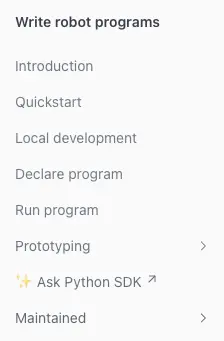
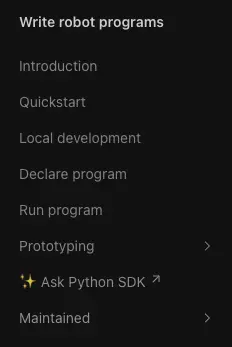
✨ Ask Python SDK documentation with DeepWiki
With this release, the documentation features an external link to the detailed Wandelbots Python SDK documentation generated with DeepWiki.
The AI generated documentation of the repository is a comprehensive resource for developers using the Wandelbots Python SDK, providing in-depth information on installation, configuration, and usage of the SDK.
Unnested simulation section
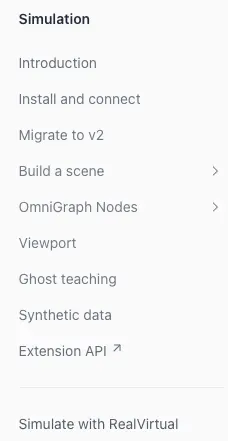
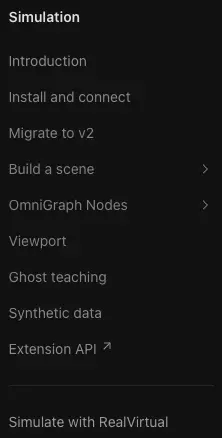
The “Simulate with NVIDIA Isaac Sim” section has been unnested and is now the top-level section for “Simulation” in the documentation sidebar.
If you want to simulate using RealVirtual.io, you can find the relevant one pager under the separator in the “Simulation” section.
Updated UR robot instructions using PolyScope 5.22 or greater
The documentation for UR robots has been updated to reflect changes for PolyScope 5.22 and greater. It is now mandatory to first enable the robot once before connecting:
- Press the “Power off” button in the lower left corner of the control panel
- Press “ON”
- and then Press “START”
FAQ update
The FAQ section has been updated with some new questions.
Find more information on what to do when your system crashes after installing the Isaac Sim extension and additional resources for learning about NVIDIA Omniverse.
Additional resources
Find additional resources for learning about NVIDIA Omniverse in the Simulation introduction.
Improvements to supported robot list
The names of KR 3 R540 and KR 70 R2100 have been updated in the supported robot list to remove any references to “virtual controller” or “Omniverse”.
404 handling improvements
In order to improve user experience, 404 errors are now handled gracefully by:
- Catching 404 errors on documentation pages
- Redirecting users back to the main documentation page after a couple of seconds
- Displaying a user-friendly message like “Looks like this page doesn’t exist”